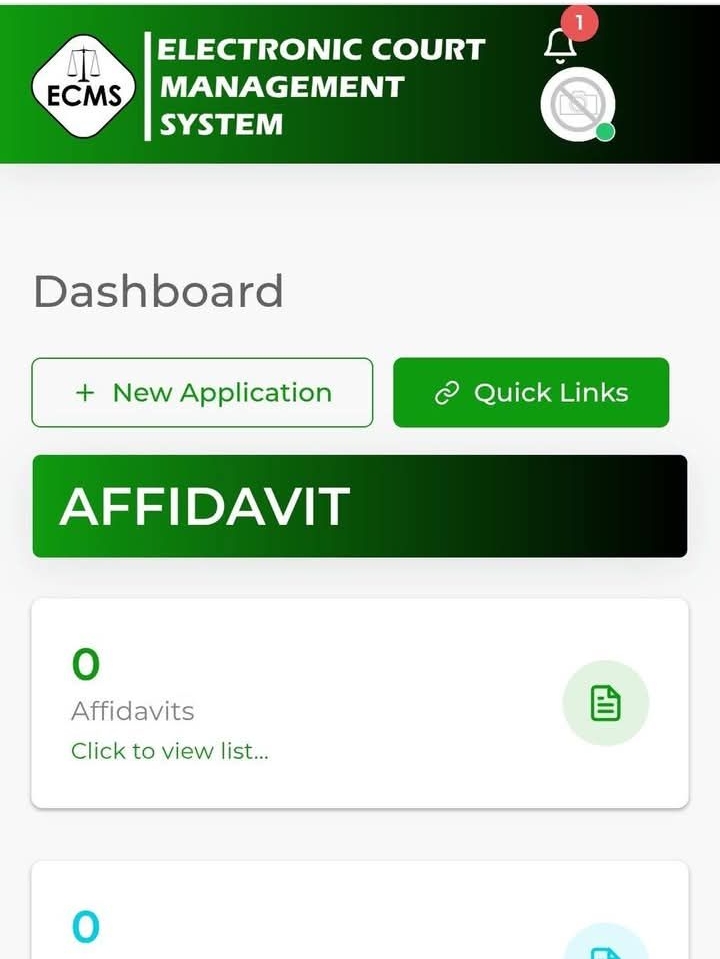
You may not necessarily need to visit a court physically to begin the process of obtaining an affidavit.
The Federal High Court of Nigeria has an online portal that allows applicants to initiate certain affidavit-related processes from the comfort of their homes using a smartphone or laptop.
Despite this option being available, many Nigerians are still unaware that they can start the process online.
If you need an affidavit, here is a simple step-by-step guide to getting started.
1. Visit the Federal High Court Online Portal
Go to portal.fhc.gov.ng/index and create an account.
Enter your details correctly, verify your account and log in.
2. Update Your Profile
After logging in, go to your dashboard and select Profile.
Update your personal information and ensure that the details provided are accurate before starting your application.
3. Provide Your Required Information
Complete all the required fields carefully.
You may also be required to upload documents such as your passport photograph and a valid means of identification.
Save your information once you have completed the required sections.
4. Start a New Application
Return to the homepage and select the available application option.
Choose New Application to view the affidavit services available on the portal.
Select the type of affidavit you need and follow the instructions provided to complete the application.
5. Receive Your Affidavit
After successfully completing the process and any required steps, the affidavit may be sent to the email address associated with your application.
You can then save the electronic copy or print it when a physical copy is required.
No More Unnecessary Movement?
The online process can make it easier to initiate an affidavit application without immediately having to travel to a court.
However, applicants should carefully check the requirements for the specific affidavit they need, as procedures and requirements may vary.
Have you used the Federal High Court online affidavit portal before? Share your experience in the comments.